Top 25 Resume Mistakes That Get You Rejected Instantly (And How to Fix Every Single One)

You applied to 50 jobs last month. Maybe more. You rewrote your resume twice, triple-checked the formatting, and sent it out with genuine hope.
And then? Nothing. No calls, no interview invitations, not even a generic "thanks but no thanks" email. Just pure, excruciating silence.
Here's the uncomfortable truth most career advisors won't tell you upfront: your resume is probably the problem, not your qualifications.
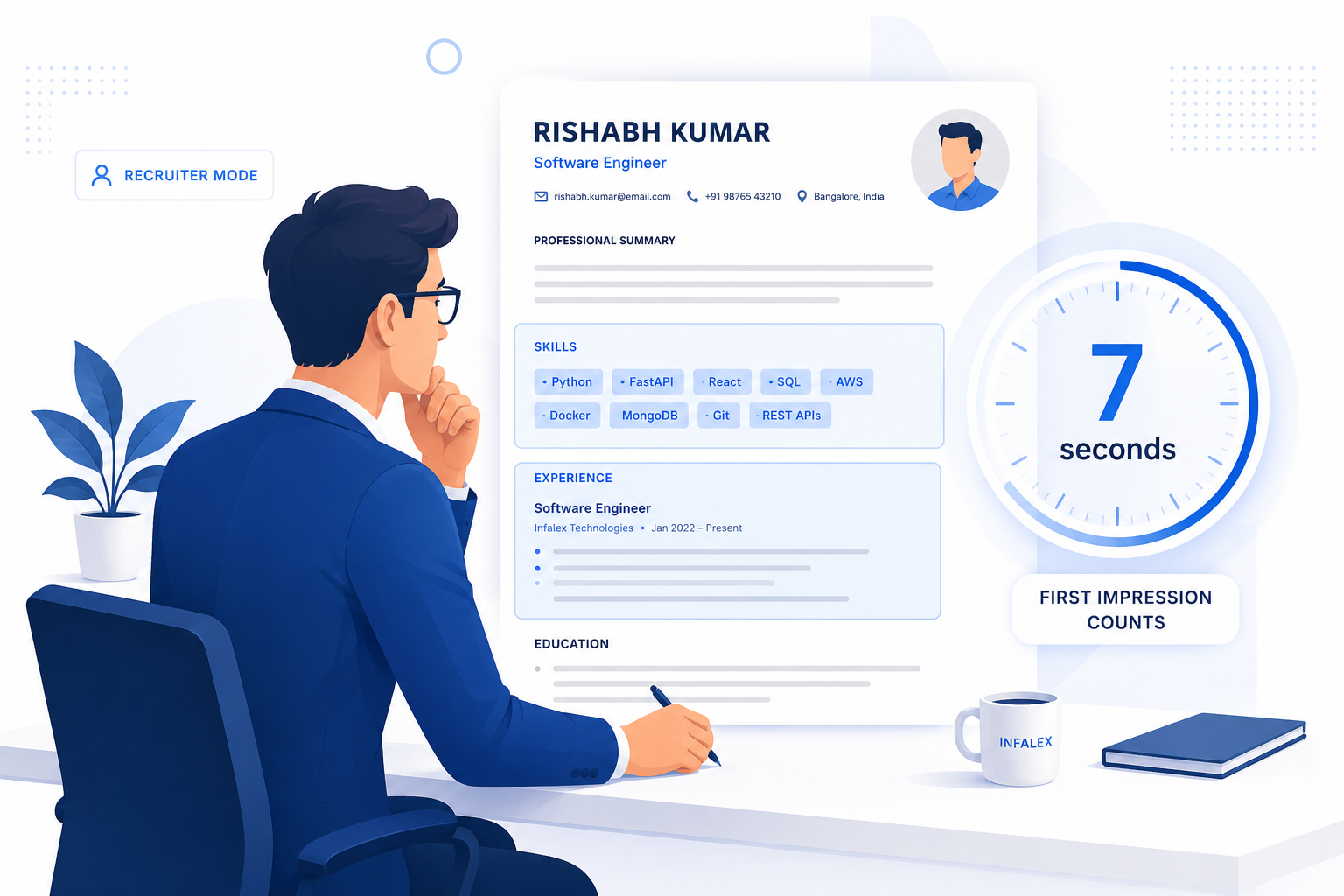
Studies consistently show that recruiters spend an average of 6–7 seconds scanning a resume before deciding to move forward or move on. And before those 6 seconds even happen, your application likely gets filtered through an Applicant Tracking System (ATS) — software that automatically rejects resumes that don't meet specific formatting and keyword criteria.
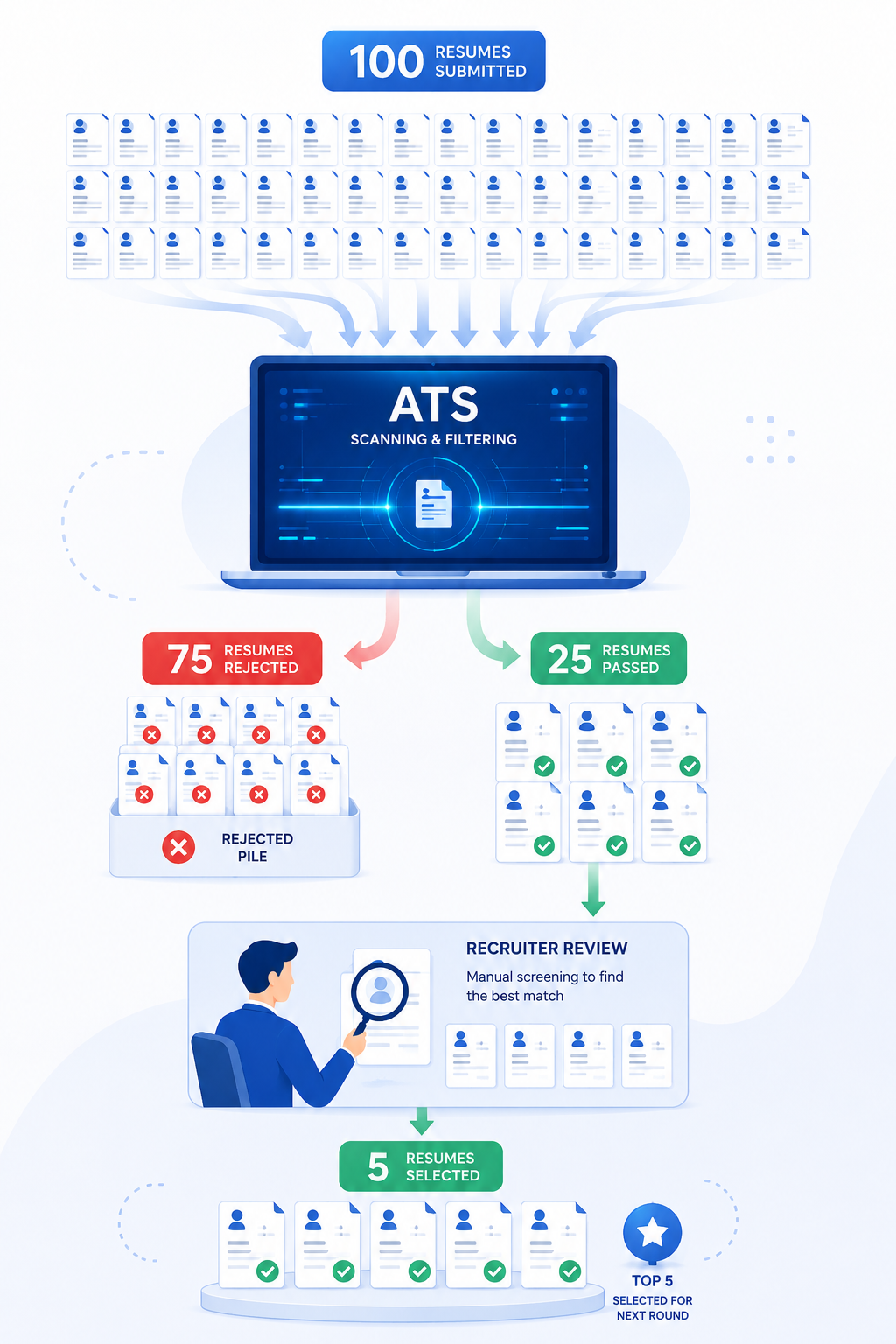
Up to 75% of resumes get rejected before a human being reads a single word. That's not a typo.
The good news? Most resume mistakes are completely fixable once you know what they are. This guide covers the 25 most damaging resume errors, explains exactly why each one hurts your chances, and gives you a concrete fix you can implement today.
Why Most Resumes Never Get Interviews
Before we dive into the mistakes, it helps to understand the two gatekeepers standing between your resume and an interview.
How Recruiters Review Resumes in Under 10 Seconds
A recruiter's job isn't to read your resume — it's to eliminate resumes. With hundreds of applications per role, they've developed a lightning-fast scanning technique:
- Glance at the job title and current company (2 seconds)
- Skim the skills section for relevant keywords (2 seconds)
- Check for obvious red flags — gaps, formatting disasters, irrelevant experience (2 seconds)
- Make a snap decision: interview pile or rejection pile
If anything feels "off" during those seconds — a confusing layout, a missing skills section, a wall of text — they move on. It's not personal. It's survival.
How Applicant Tracking Systems (ATS) Reject Resumes
Before a recruiter even opens your application, the ATS has already scanned, parsed, and scored it. Here's what the software does:
- Extracts raw text from your document
- Categorizes data into fields like Experience, Education, and Skills
- Matches your content against keywords from the job description
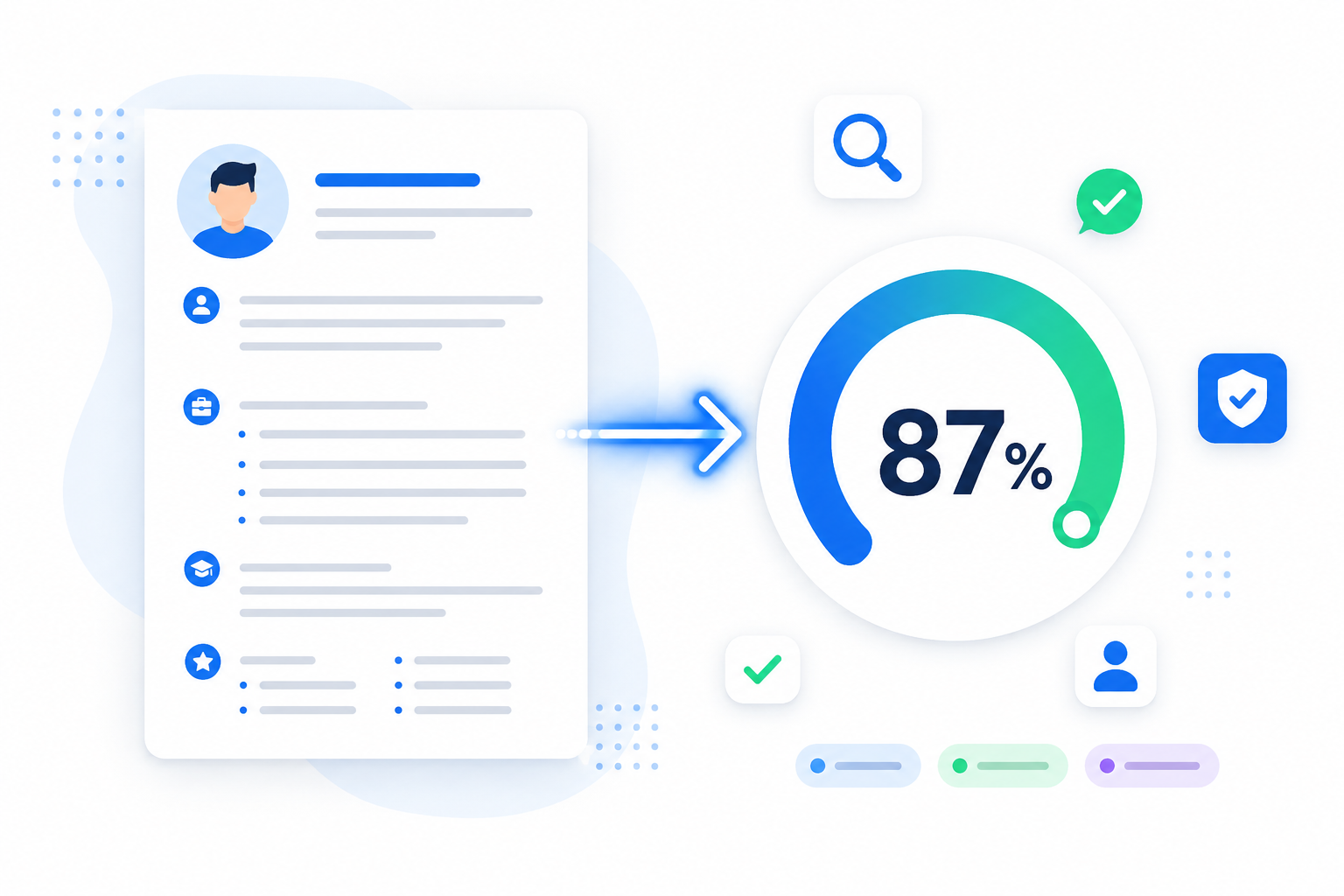
- Assigns a relevance score and ranks you against other applicants
If your resume has fancy graphics, a multi-column layout, or missing keywords, the ATS either scrambles your data or gives you a low match score. Either way, you become invisible.
The Real Cost of Resume Mistakes
Every rejected application costs you something. Time you spent customizing. Emotional energy you invested in hoping. Opportunities that passed to candidates who might be less qualified but had a cleaner, more optimized resume.
Fix these 25 mistakes, and you dramatically shift the odds in your favor.
The 25 Resume Mistakes That Get You Rejected
Mistake #1: Spelling and Grammar Mistakes
Why it's a problem: A single typo tells a recruiter you lack attention to detail. If you can't proofread a one-page document meant to represent your professional best, why would they trust you with client emails, financial reports, or code reviews?
How recruiters view it: Instant credibility killer. Many hiring managers have admitted to rejecting candidates over a single misspelling in the first paragraph.
ATS impact: While ATS won't reject you for grammar alone, misspelled keywords (like "Pyhton" instead of "Python") won't match the job description — so you lose ranking points.
Bad example:
"Mananged a team of 5 developpers and improved code qualty by implementing new testing protocolls."
Better example:
"Managed a team of 5 developers and improved code quality by 40% through implementing automated testing protocols."
Practical fix:
- Read your resume backward, word by word
- Read it out loud to catch awkward phrasing
- Use grammar tools like Grammarly as a second pass, not a replacement for human review
- Ask someone else to proofread it with fresh eyes
Mistake #2: Using an Unprofessional Email Address
Why it's a problem: Your email is one of the first things a recruiter notices. An address like "gamerboy_420@hotmail.com" makes you look unserious before they read a single bullet point.
How recruiters view it: It signals immaturity and a lack of professional awareness.
Bad example:
party_prince99@yahoo.com
Better example:
rahul.sharma@gmail.com
Practical fix: Create a dedicated professional email using the format firstname.lastname@gmail.com. If that's taken, try adding a middle initial or the word "career."
Mistake #3: Missing Contact Information
Why it's a problem: You'd be surprised how often candidates forget to include a phone number, email address, or location (city and state are enough). If a recruiter wants to call you for a screening, they need a way to reach you.
How recruiters view it: A resume without complete contact info looks careless or incomplete.
ATS impact: Missing contact fields can cause the ATS to categorize your data incorrectly.
Practical fix: Always include:
- Full name
- Professional email
- Phone number
- City, State (no full home address needed)
- LinkedIn profile URL
Mistake #4: Poor Resume Formatting
Why it's a problem: A cluttered, visually chaotic resume frustrates the recruiter during those crucial 6 seconds. Tiny fonts, cramped margins, inconsistent spacing, and dense paragraphs all reduce readability.
How recruiters view it: If they have to work hard to find the information they need, they'll simply move on.
ATS impact: Overly complex formatting — especially multi-column layouts — causes parsing errors, mixing up your skills with your education or jumbling text from adjacent columns.
Bad example: A resume with three columns, colored sidebars, and nine different font sizes.
Better example: A clean, single-column layout with consistent headings, ample white space, and standard 10–12pt font.
Practical fix:
- Use a single-column, top-to-bottom layout
- Stick to standard fonts: Arial, Calibri, or Garamond
- Use 10–12pt for body text, 14–16pt for headings
- Leave 0.5–1 inch margins on all sides
For a deep dive into formatting that ATS systems can actually read, check out our complete guide.
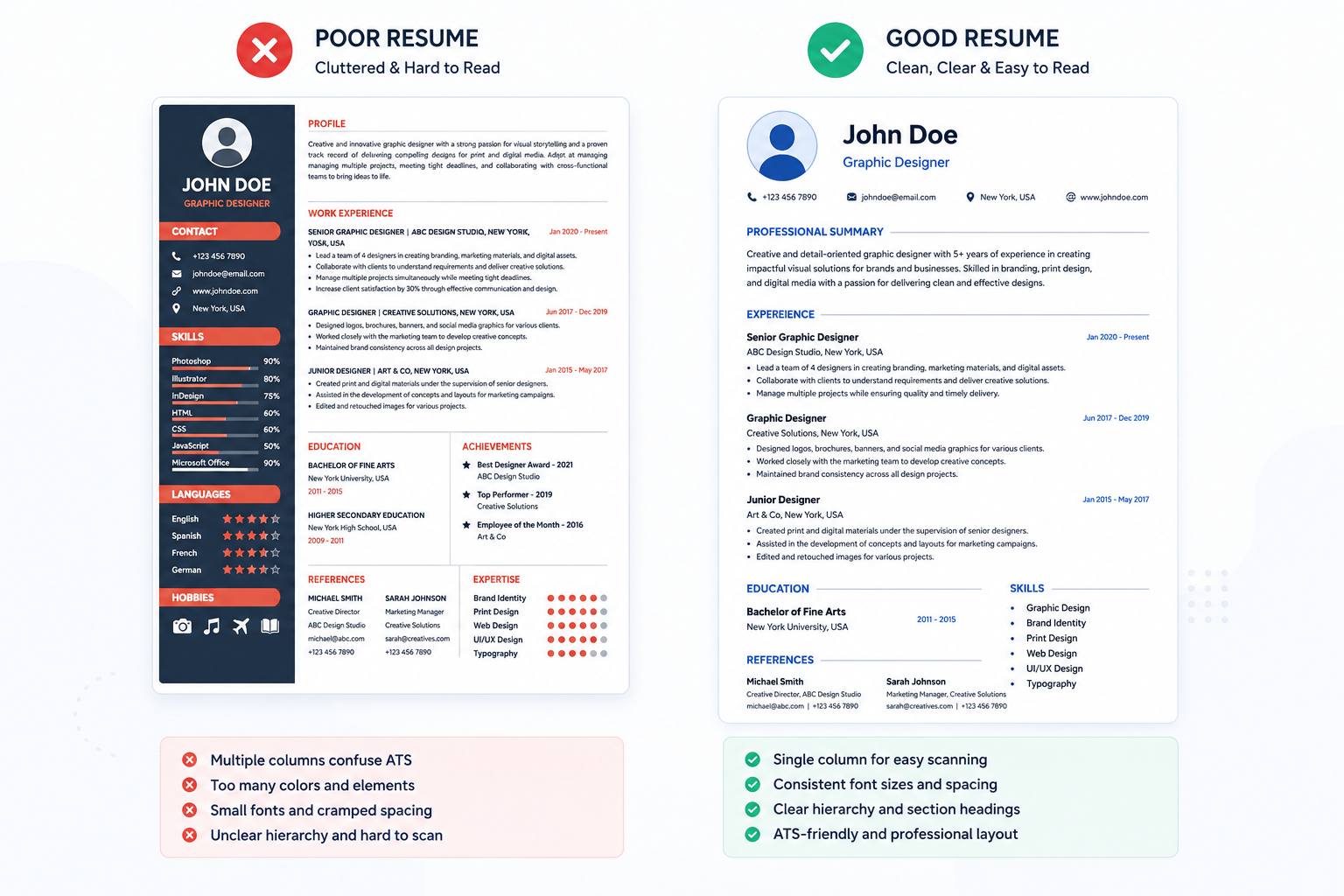
Mistake #5: Using Graphics, Tables, or Columns That ATS Can't Parse
Why it's a problem: Skill bars, progress circles, headshots, and infographic-style layouts look great on a Canva template. But an ATS can't read text embedded in images, and tables often get completely scrambled during parsing.
ATS impact: Your skills section might disappear entirely. Your job titles could merge with your education dates. The ATS sees digital confetti, not a qualified candidate.
Bad example: A resume with a sidebar containing icons for each skill and a circular progress bar showing "Python: 85%."
Better example: A plain-text skills section that reads: Python | SQL | React | AWS | Docker
Practical fix: Strip out all graphics, icons, images, text boxes, tables, and multi-column layouts. Keep every important detail in the main body text.
Mistake #6: No Measurable Achievements
Why it's a problem: A resume without numbers is a resume without proof. Saying "improved sales" doesn't tell anyone anything. Improved by how much? Over what period? Compared to what?
How recruiters view it: Vague claims sound like filler. Quantified results sound like evidence.
Bad example:
"Helped improve the company's social media presence."
Better example:
"Increased Instagram engagement by 45% and grew follower count from 2,000 to 11,500 within 6 months through targeted content strategy."
Practical fix: For every bullet point, ask yourself: "Can I attach a number, percentage, dollar amount, or time frame to this?" If yes, do it.
Mistake #7: Listing Responsibilities Instead of Accomplishments
Why it's a problem: Duties describe what your job required. Accomplishments describe what you actually delivered. Any person with your job title had similar responsibilities — what made you different?
How recruiters view it: A list of duties reads like a job description copy-paste. It tells them nothing about your impact.
Bad example:
"Responsible for managing the customer support team."
Better example:
"Led a customer support team of 8, reducing average ticket resolution time from 48 hours to 12 hours and improving customer satisfaction scores by 22%."
Practical fix: Rewrite every bullet point using the formula: Action verb + task + measurable result. If you want a deeper guide on turning responsibilities into impactful statements, read our article on common resume mistakes costing you interviews.
Mistake #8: Generic Resume Objective
Why it's a problem: Objectives like "Seeking a challenging position where I can leverage my skills" are so vague they could apply to literally any job in any industry. They waste premium real estate at the top of your resume.
How recruiters view it: It signals that you didn't customize your application.
Bad example:
"Seeking a challenging role in a dynamic organization where I can grow and contribute."
Better example:
"Full-Stack Developer with 3 years of experience building scalable web applications in React and Node.js. Reduced API response times by 60% at my current role and looking to bring that performance-driven mindset to a fast-growing SaaS team."
Practical fix: Replace the objective with a targeted professional summary. Keep it 2–3 sentences. Include your job title, years of experience, top 2–3 skills, and one quantified achievement.
Mistake #9: Missing Relevant Keywords
Why it's a problem: When a recruiter searches the ATS for "Project Management" and your resume only says "managed projects," you might not show up. Keywords are the literal language the ATS uses to find you.
ATS impact: This is the number one reason resumes get low ATS scores. Missing keywords = low match percentage = buried at the bottom of the results.
Bad example: A job description asks for "Customer Relationship Management," and your resume says "handled client accounts."
Better example: "Managed customer relationships using Salesforce CRM, increasing client retention by 18% over 12 months."
Practical fix: Read the job description carefully. Highlight every skill, tool, and qualification mentioned. Then mirror that exact language in your resume, naturally woven into your experience and skills sections. Our guide on resume keywords recruiters actually search for breaks this down step by step.
Mistake #10: Applying with the Same Resume Everywhere
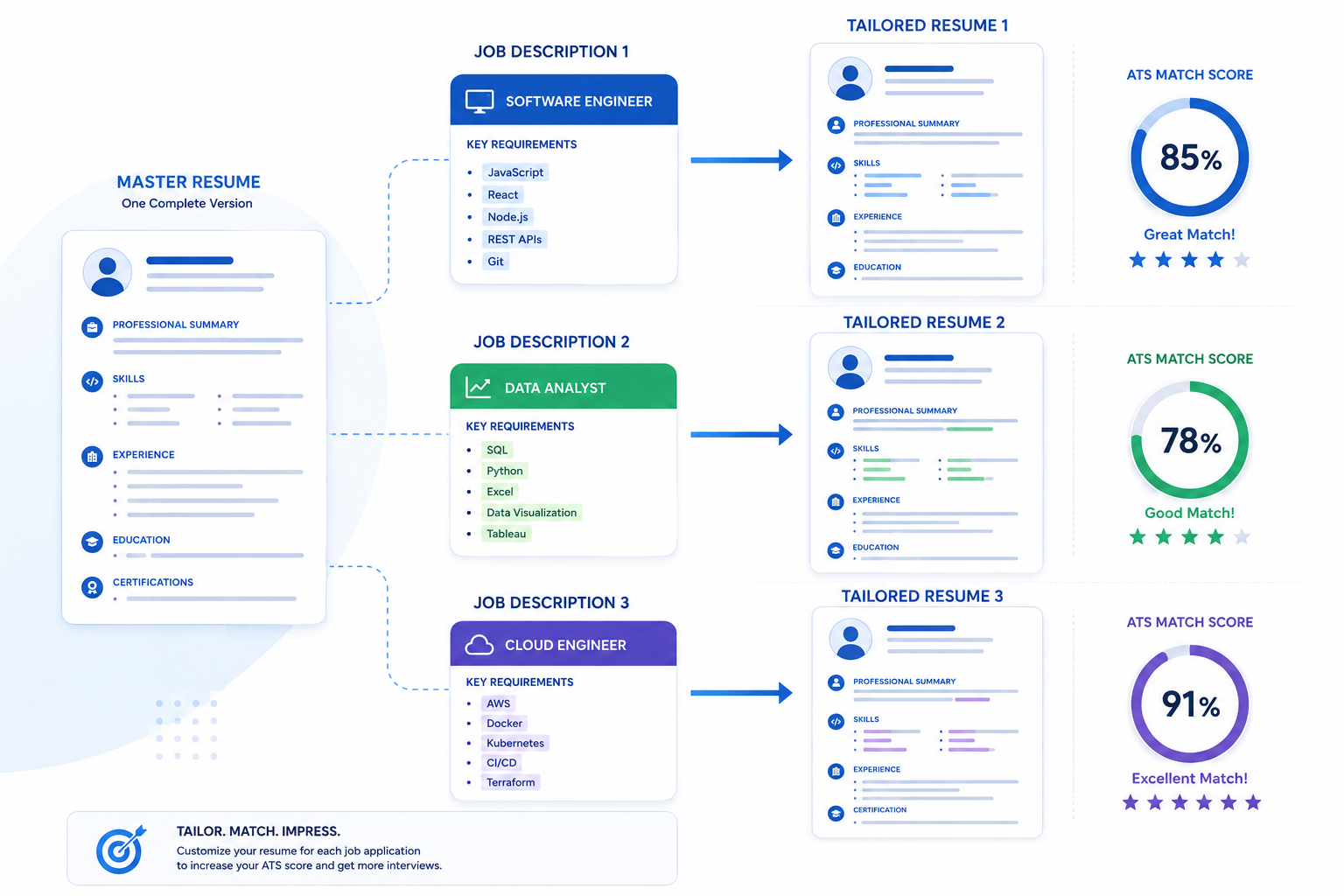
Why it's a problem: A generic, one-size-fits-all resume rarely aligns with the specific language, priorities, and keyword requirements of each individual job description.
How recruiters view it: It feels lazy. And the ATS will score it lower because the keywords won't match precisely.
Bad example: Sending the identical resume to a Data Analyst role, a Business Intelligence role, and a Product Manager role without changing a word.
Better example: Keeping a master resume with all your experience, then creating a tailored version for each application that emphasizes the most relevant skills, uses the job description's exact terminology, and reorders bullet points strategically.
Practical fix: Create a "master resume" document. For each application, copy it and edit the professional summary, skills section, and top 3–5 experience bullets to match the job posting.
Mistake #11: Including Irrelevant Work Experience
Why it's a problem: Your summer job scooping ice cream at age 16 doesn't help you land a software engineering role. Irrelevant experience dilutes the impact of your relevant qualifications and wastes the recruiter's scanning time.
How recruiters view it: It looks like padding. They want to see what's relevant to the role they're hiring for — nothing more.
Practical fix: Remove any experience that doesn't directly support your target role. If you're a career changer, reframe past experience by emphasizing transferable skills (e.g., customer service, team management, problem-solving).
Mistake #12: Too Much Unnecessary Information
Why it's a problem: Personal details like your age, marital status, religion, date of birth, or a full home address don't belong on a modern resume. They can trigger unconscious bias and waste valuable space.
Practical fix: Stick to professional information only. Remove photos (unless applying in a region where it's expected), personal hobbies (unless directly relevant), and any demographic information.
Mistake #13: Resume Longer Than Necessary
Why it's a problem: For most professionals with under 10 years of experience, a one-page resume is ideal. A two-page resume is acceptable only if you have 10+ years of experience with genuinely relevant content filling both pages. A three-page resume is almost never appropriate for industry roles.
How recruiters view it: Length doesn't equal thoroughness. It often signals an inability to prioritize and edit.
Bad example: A three-page resume for a fresher with one internship and two academic projects.
Better example: A tight, one-page resume that highlights the internship, top two projects, relevant coursework, and a focused skills section.
Practical fix: Cut ruthlessly. If a bullet point doesn't directly support your candidacy for the target role, remove it. For detailed guidance, read our guide on how long a resume should be.
Mistake #14: Employment Gaps Without Explanation
Why it's a problem: Unexplained gaps in your work history raise red flags. Recruiters will wonder: Were you fired? Did you have performance issues? Are you hiding something?
How recruiters view it: A gap itself isn't necessarily a problem — but an unexplained gap is.
Practical fix: Briefly address gaps directly. You don't need a long explanation. A single line works:
- "Career Break (2024–2025): Completed Google Data Analytics Professional Certificate and freelanced as a data consultant."
- "Family Leave (2023–2024): Returned to professional development through online certifications in AWS and Python."
Mistake #15: Lying or Exaggerating Experience
Why it's a problem: Inflating job titles, fabricating skills, or claiming degrees you never earned is a career-ending mistake. Background checks, technical interviews, and reference calls will expose dishonesty — and the consequences are severe.
How recruiters view it: Immediate and permanent disqualification. Many companies maintain internal blacklists.
Practical fix: Be honest. If you lack a specific skill, demonstrate a willingness to learn. Highlight transferable skills and genuine achievements instead of fabricating credentials.
Mistake #16: Outdated Skills
Why it's a problem: Listing technologies that are no longer industry-standard (like "Proficient in Windows XP" or "Expert in Adobe Flash") makes your resume feel dated and signals that you haven't kept your skills current.
How recruiters view it: It raises concerns about whether you can keep up with modern tools and workflows.
ATS impact: Outdated skills won't match current job descriptions, so they contribute nothing to your keyword match score.
Bad example: "Microsoft FrontPage, Visual Basic 6.0, Lotus Notes"
Better example: "React, TypeScript, AWS Lambda, Docker, PostgreSQL"
Practical fix: Audit your skills section every 6 months. Remove anything obsolete. Add any new technologies, certifications, or tools you've learned recently.
Mistake #17: Weak Action Verbs
Why it's a problem: Starting bullet points with passive, vague language like "Was responsible for" or "Helped with" strips the energy from your accomplishments. Strong action verbs demonstrate ownership and initiative.
Bad example:
"Was responsible for handling customer complaints."
Better example:
"Resolved 150+ customer escalations monthly, reducing complaint resolution time by 35% through implementing a standardized triage process."
Practical fix: Start every bullet point with a powerful action verb: Developed, Implemented, Optimized, Led, Designed, Automated, Reduced, Increased, Launched, Streamlined, Architected, Mentored.
Mistake #18: Poor Skills Section
Why it's a problem: A skills section that's a random dump of 30 buzzwords with no organization or relevance to the target role overwhelms the reader and dilutes your strongest qualifications.
ATS impact: While the ATS will pick up the keywords, an unfocused skills section can hurt you when the recruiter eventually reads your resume — it looks like you listed everything you've ever heard of.
Bad example: "Skills: Microsoft Word, Teamwork, Hard Worker, Python, Leadership, Time Management, SEO, Cooking, Photography, Machine Learning"
Better example:
- Programming: Python, JavaScript, SQL, Java
- Frameworks: React, Node.js, Django, Spring Boot
- Tools: AWS, Docker, Git, Jira, Figma
- Soft Skills: Cross-functional Collaboration, Technical Documentation, Agile Methodology
Practical fix: Categorize your skills into logical groups. Prioritize the skills listed in the job description. Remove anything irrelevant to your target role.
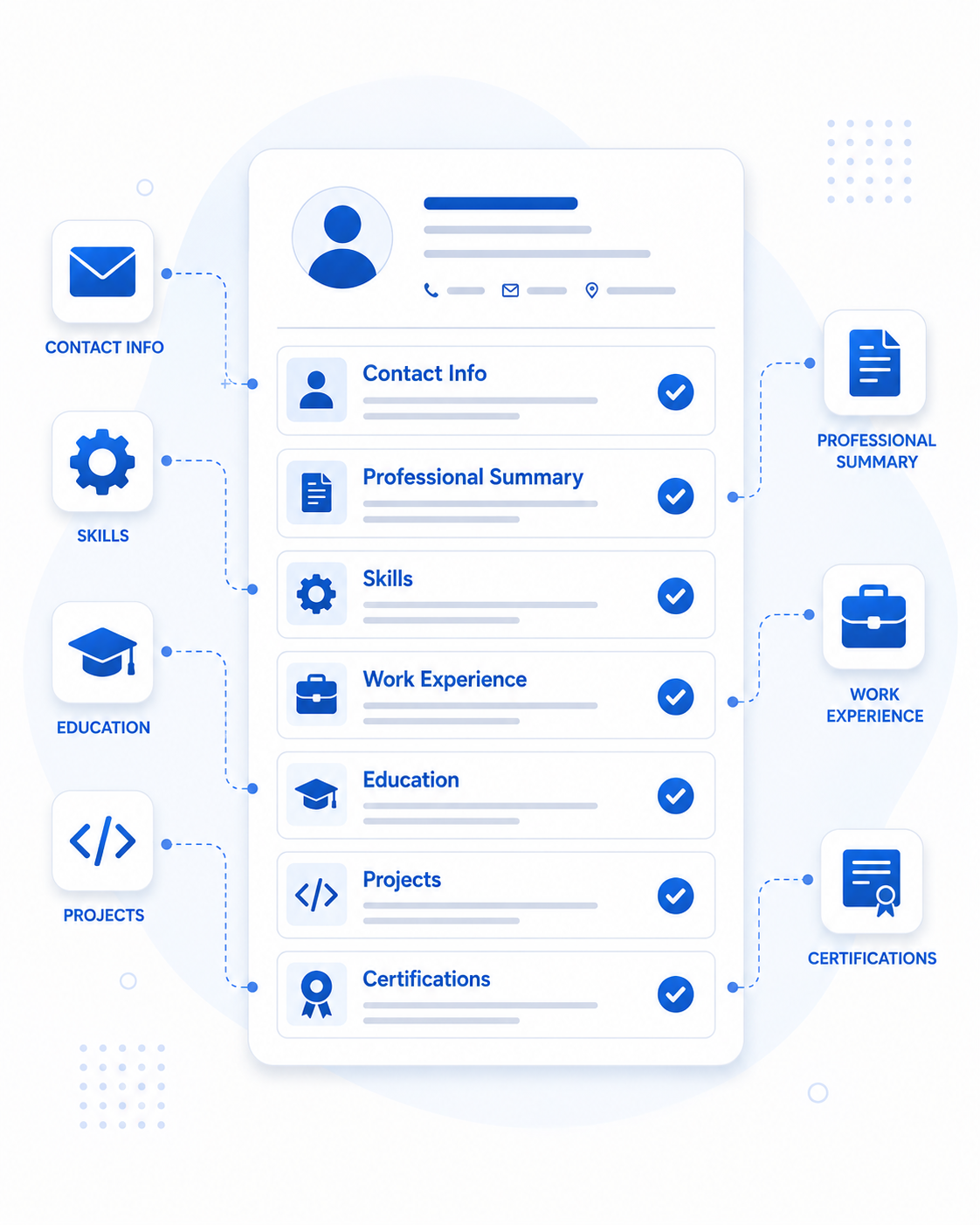
Mistake #19: Missing Certifications or Projects
Why it's a problem: Certifications validate your skills with third-party credibility. Projects demonstrate practical application. Omitting them — especially as a fresher or career changer — removes some of your strongest evidence.
How recruiters view it: Certifications like AWS Certified Solutions Architect, Google Analytics Certification, or PMP carry real weight. Skipping them is a missed opportunity.
Practical fix: Add a dedicated "Certifications" section. If you're a student or fresher, include a "Projects" section with 2–3 well-described projects that demonstrate your technical skills. For BCA students specifically, our guide on the best resume format for BCA students provides a complete example.
Mistake #20: No Portfolio or GitHub (Where Applicable)
Why it's a problem: For developers, designers, writers, and other creative or technical professionals, a portfolio or GitHub profile provides tangible proof of your work. Recruiters actively look for it.
How recruiters view it: A linked portfolio is a trust signal. It says "I don't just claim these skills — here's the proof."
Practical fix: Add your portfolio URL, GitHub profile, or LinkedIn profile directly in your contact information section. Make sure the links are active and the content is up to date.
Mistake #21: Wrong File Format
Why it's a problem: Submitting your resume as a .pages, .jpg, or obscure file type can render it completely unreadable by the ATS or the recruiter's system.
ATS impact: Some older ATS struggle with certain PDF types (especially flattened image PDFs from design tools). Most modern ATS handle standard text-based PDFs flawlessly.
Practical fix: Save your resume as a standard, text-based PDF unless the job posting specifically requests .docx. Test it by opening the PDF and pressing Ctrl+A — if you can select and copy all the text, the ATS can read it.
Mistake #22: Inconsistent Fonts and Spacing
Why it's a problem: Mixing three different fonts, using inconsistent heading sizes, or having random spacing throughout your resume makes it look unprofessional and hastily assembled.
How recruiters view it: Visual inconsistency signals carelessness.
Practical fix: Choose one font family for the entire document. Use two sizes: one for headings, one for body text. Maintain consistent spacing between sections. Align all text elements uniformly.
Mistake #23: Including References on the Resume
Why it's a problem: "References available upon request" is a relic of the 1990s. Every recruiter knows they can ask for references — stating it wastes a line of valuable space.
How recruiters view it: It dates your resume and adds zero value.
Practical fix: Remove the references line entirely. Prepare a separate references document to provide when specifically asked.
Mistake #24: Ignoring ATS Optimization
Why it's a problem: Even a beautifully written resume will fail if it doesn't follow ATS-compatible formatting rules. This means avoiding fancy templates, using standard section headings, and integrating keywords naturally.
ATS impact: An unoptimized resume can score below 30% match even when the candidate is highly qualified for the role.
Practical fix: Follow ATS-friendly formatting rules consistently:
- Single-column layout
- Standard headings (Work Experience, Education, Skills)
- No graphics, text boxes, or tables
- Keywords from the job description woven into your experience
For the complete framework, read our guide on how to create an ATS-friendly resume.
Mistake #25: Never Proofreading Before Applying
Why it's a problem: This is where all the other mistakes sneak through. Rushing to submit without a final review means typos survive, formatting breaks go unnoticed, and keyword gaps remain unfixed.
How recruiters view it: An unpolished resume reflects an unpolished candidate.
Practical fix: Before every submission:
- Read the entire resume out loud
- Check it against the job description for keyword alignment
- Paste it into a plain text editor to verify the ATS can read it
- Have someone else review it with fresh eyes
- Run it through an AI resume checker like Resumetra to catch issues you might miss
Recruiter Insights: What Hiring Managers Actually Look For
After reviewing thousands of applications, recruiters consistently point to the same qualities that separate strong resumes from weak ones:
- Relevance over volume. A focused, one-page resume with 5 highly relevant bullet points beats a two-page resume with 20 generic ones.
- Numbers over narratives. Quantified achievements create instant credibility.
- Clarity over creativity. Clean formatting always wins over flashy design.
- Customization over convenience. A tailored resume shows effort and genuine interest.
ATS Optimization Tips for 2026
The ATS landscape keeps evolving. Here are the most important optimization strategies for the current job market:
- Mirror the job description's language exactly. If the posting says "Project Management," don't substitute "PM" or "managing projects."
- Include both acronyms and full terms. Write "Search Engine Optimization (SEO)" the first time, so you match both versions.
- Use standard date formats. "Jan 2023 – Present" or "01/2023 – 08/2025." Avoid relative dates like "2 years ago."
- Put contact info in the main body. Headers and footers are often ignored by ATS parsers.
- Test before submitting. Copy your resume text into Notepad. If it reads logically from top to bottom, the ATS can parse it.
Resume Proofreading Checklist
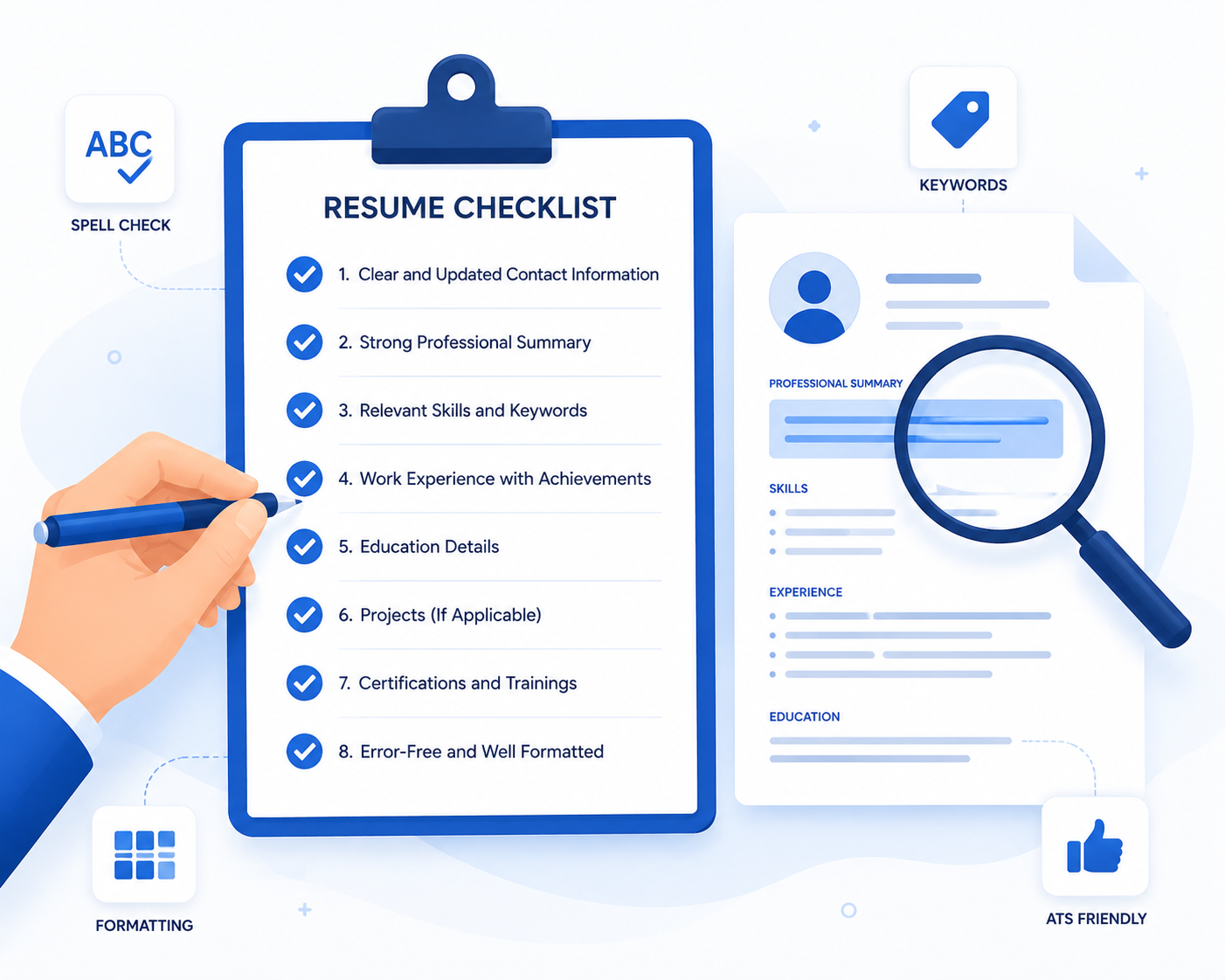
Run through this checklist before every single application:
- ⬜ Zero spelling or grammar errors
- ⬜ Professional email address
- ⬜ Complete contact information (name, email, phone, city, LinkedIn)
- ⬜ Clean, single-column formatting
- ⬜ Standard section headings
- ⬜ No graphics, tables, text boxes, or images
- ⬜ Every bullet point starts with a strong action verb
- ⬜ At least 60% of bullet points include measurable results
- ⬜ Keywords from the job description are naturally integrated
- ⬜ Skills section is organized and relevant to the target role
- ⬜ Resume length is appropriate (1 page for < 10 years experience)
- ⬜ Saved as a text-based PDF
- ⬜ Copy-paste test into Notepad passes cleanly
Resume Submission Checklist
Before hitting "Apply," confirm:
- ⬜ Professional summary is tailored to this specific role
- ⬜ Skills section mirrors the job description's key requirements
- ⬜ Top 3–5 experience bullets highlight the most relevant achievements
- ⬜ File name is professional (e.g., "Rahul_Sharma_Resume.pdf," not "resume_final_v3_FINAL.pdf")
- ⬜ Cover letter (if required) references the company and role by name
- ⬜ All links (portfolio, GitHub, LinkedIn) are active and current
Signs Your Resume Needs Improvement
If any of these sound familiar, it's time for a resume overhaul:
- You've applied to 30+ jobs without a single interview callback
- Recruiters who call you seem surprised by your actual qualifications (meaning the resume didn't convey them)
- You're getting rejected for roles where you clearly meet the requirements
- Your resume is more than 2 years old and hasn't been updated
- You're using the same resume for every application without customization
- You've never run your resume through an ATS scanner or compatibility checker
Quick Wins That Improve Interview Chances Immediately
Don't have time for a full resume overhaul? Start with these high-impact fixes:
- Rewrite your professional summary to target your #1 desired role with specific skills and one quantified achievement
- Add numbers to your top 5 bullet points — percentages, dollar amounts, team sizes, time saved
- Run a keyword check against the job description and add any missing terms naturally
- Switch to a single-column, ATS-friendly template using a standard font
- Remove the "References available upon request" line and use that space for a certification or skill
- Upload your resume to Resumetra and check your ATS compatibility score against a real job description
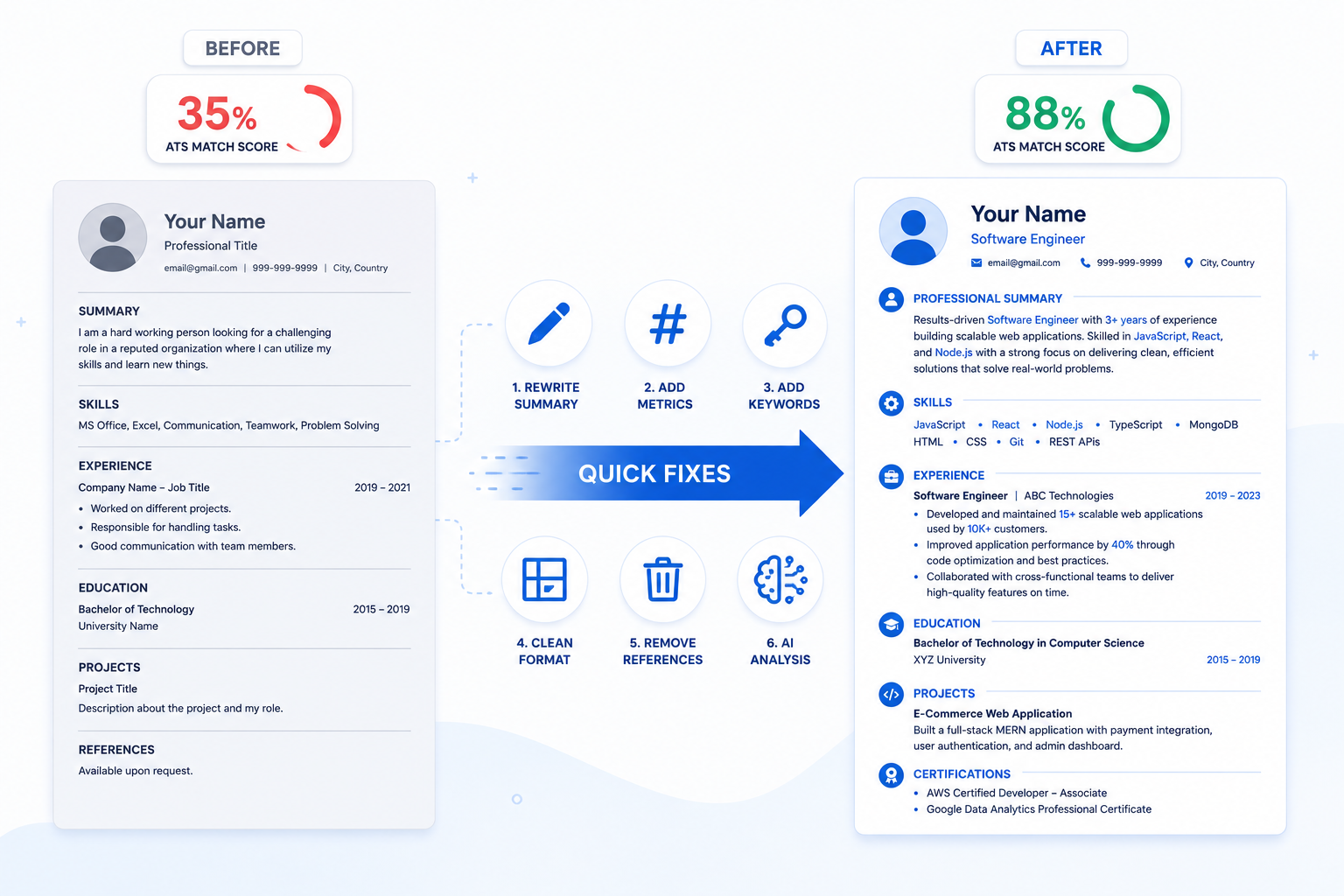
💡 Infalex Insight:
Catching every resume mistake manually is tough — especially the invisible ones that trip up ATS systems. That's exactly what Resumetra is built for. Upload your resume, paste the job description you're targeting, and let the AI analyzer identify missing keywords, formatting issues, and skill gaps in seconds. You'll get a precise match score so you know exactly where you stand before you submit. Stop guessing. Start optimizing.
🔗 Keep Optimizing Your Job Search with Infalex
If this guide helped you spot mistakes you didn't know you were making, these related articles will take your resume even further:
7 Resume Mistakes Costing You Job Interviews (And How to Fix Them) — A focused deep-dive into the most costly resume errors and practical fixes for each one.
How to Create an ATS-Friendly Resume That Actually Gets Interviews — The complete step-by-step framework for building a resume that passes every ATS scan.
Cracking the Code: Top Resume Keywords Recruiters Look for in 2026 — Discover the exact words and phrases that ATS algorithms and human recruiters prioritize.
Stop Sending Your Resume Into a Black Hole: The 'Invisible' Formatting Mistake Rejecting Your Application — Uncover the hidden formatting errors that silently kill your applications.
The Ultimate Guide: Best ATS Resume Format for Freshers in 2026 — A step-by-step template guide built specifically for students and entry-level candidates.
How Long Should a Resume Be? The Definitive Guide (2026) — Finally settle the one-page vs. two-page debate with data-driven recommendations.
Resume vs. CV: 5 Key Differences You Must Know to Get Hired in 2026 — Know exactly when to use a resume versus a CV for your target industry and region.
Best Resume Format for BCA Students in India (2026 Guide) — A specialized guide with real examples for BCA graduates entering the IT job market.
Frequently Asked Questions (FAQs)
Q: What are the biggest resume mistakes?
A: The most damaging mistakes are poor formatting that ATS can't parse, missing keywords from the job description, listing duties instead of measurable achievements, and sending the same generic resume to every job. These four issues alone account for the majority of rejections.
Q: Why do recruiters reject resumes?
A: Recruiters reject resumes for three main reasons: the resume doesn't clearly match the job requirements, it contains red flags like unexplained employment gaps or exaggerated claims, or it's poorly formatted and difficult to scan quickly. Remember, they spend about 6 seconds per resume.
Q: Can ATS reject a good resume?
A: Absolutely. An ATS doesn't evaluate your actual qualifications — it evaluates how well your resume's text matches the job description's keywords and whether it can parse your formatting. A highly qualified candidate with a graphics-heavy, two-column resume can easily score below a less experienced candidate who used a clean, keyword-optimized format.
Q: How long should a resume be?
A: One page for most candidates with under 10 years of experience. Two pages for senior professionals with extensive, relevant experience. Three pages is almost never appropriate for industry roles. Quality always beats quantity.
Q: What file format is best for resumes?
A: A text-based PDF is the safest choice for most modern ATS. It preserves your formatting across devices while remaining parsable. Only use .docx if the job posting specifically requests it. Never submit flattened image PDFs, .pages files, or image formats.
Q: How many resume keywords should I include?
A: There's no magic number. Focus on naturally integrating the specific skills, tools, and qualifications mentioned in the job description. If the posting lists 10 key requirements and you genuinely possess 8 of them, all 8 should appear in your resume — woven into your experience and skills sections, not stuffed into a hidden block.
Q: Should I customize my resume for every job?
A: Yes. You don't need to rewrite the entire resume each time, but you should always tailor three things: your professional summary, your skills section, and the emphasis/ordering of your experience bullet points. Even 15 minutes of customization can dramatically improve your ATS match score.
Q: How can I check my resume before applying?
A: Use the copy-paste test (paste your resume into Notepad and check if it reads logically), have someone else proofread it, and run it through an AI resume analyzer like Resumetra to get an instant ATS compatibility score and identify missing keywords.
Q: Does resume formatting matter?
A: It matters enormously. Poor formatting is the #1 reason ATS systems fail to parse resumes correctly. A beautiful Canva template might look stunning to a human but could render your resume completely unreadable to the software that screens it first. Clean, single-column, text-based formatting is always the safest approach.
Q: Can AI help improve my resume?
A: Yes, when used correctly. AI tools can help identify missing keywords, suggest stronger action verbs, and check your resume's ATS compatibility score against a specific job description. Tools like Resumetra are designed specifically for this purpose — giving you a data-driven assessment before you submit.
Ready to optimize your career?
Join thousands of professionals using Infalex Resumetra to craft ATS-optimized resumes and land more interviews.